01
Customer Applications
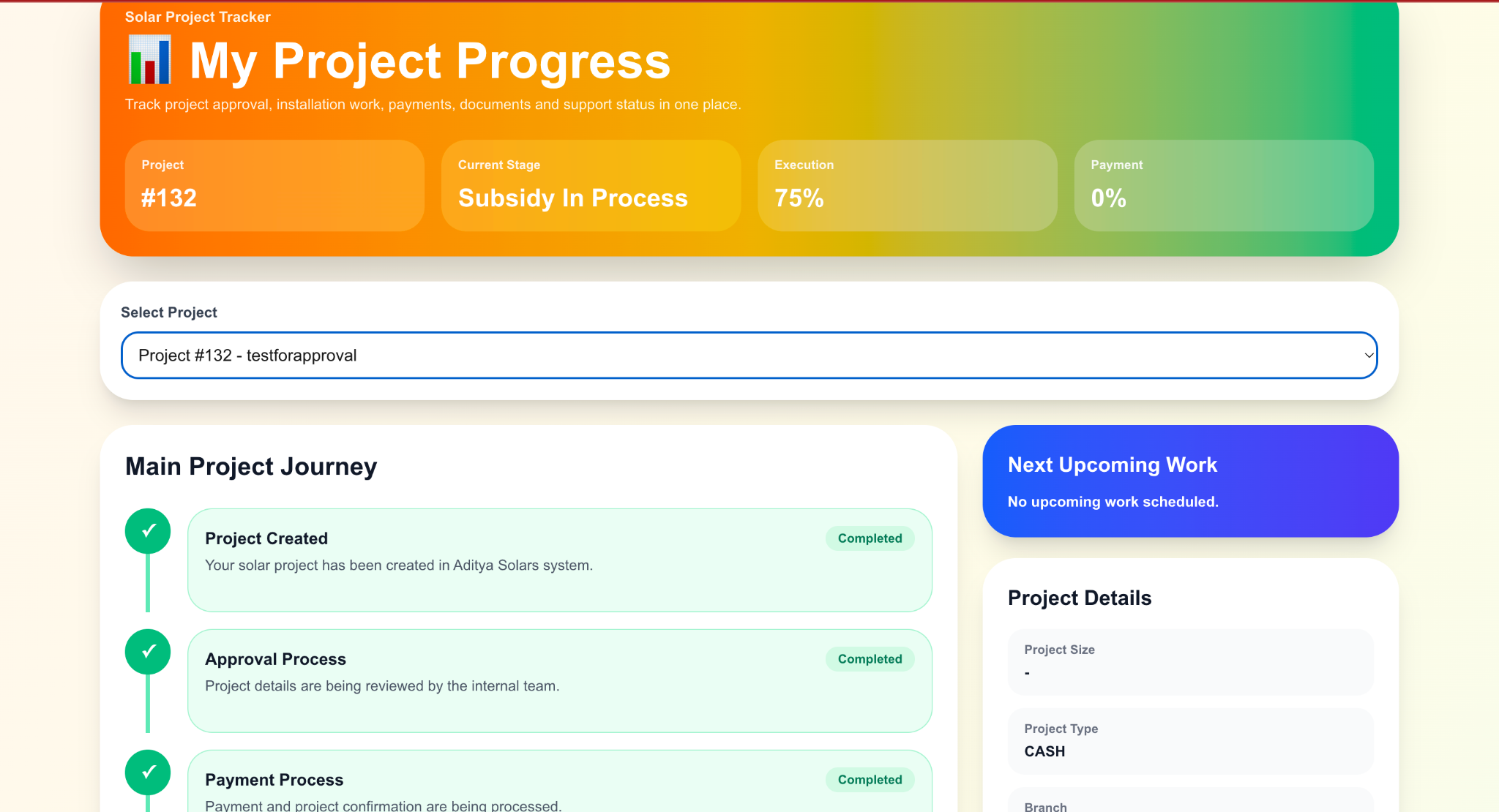
Give customers secure access to projects, payments, documents, notifications, complaints, services, and account information.
We build Android and enterprise mobile applications for customers, employees, dealers, partners, management teams, and field operations.
Mobile solutions
A customer, field employee, dealer, and business owner should not be forced into the same interface. Each application can be designed around its real purpose.
Give customers secure access to projects, payments, documents, notifications, complaints, services, and account information.
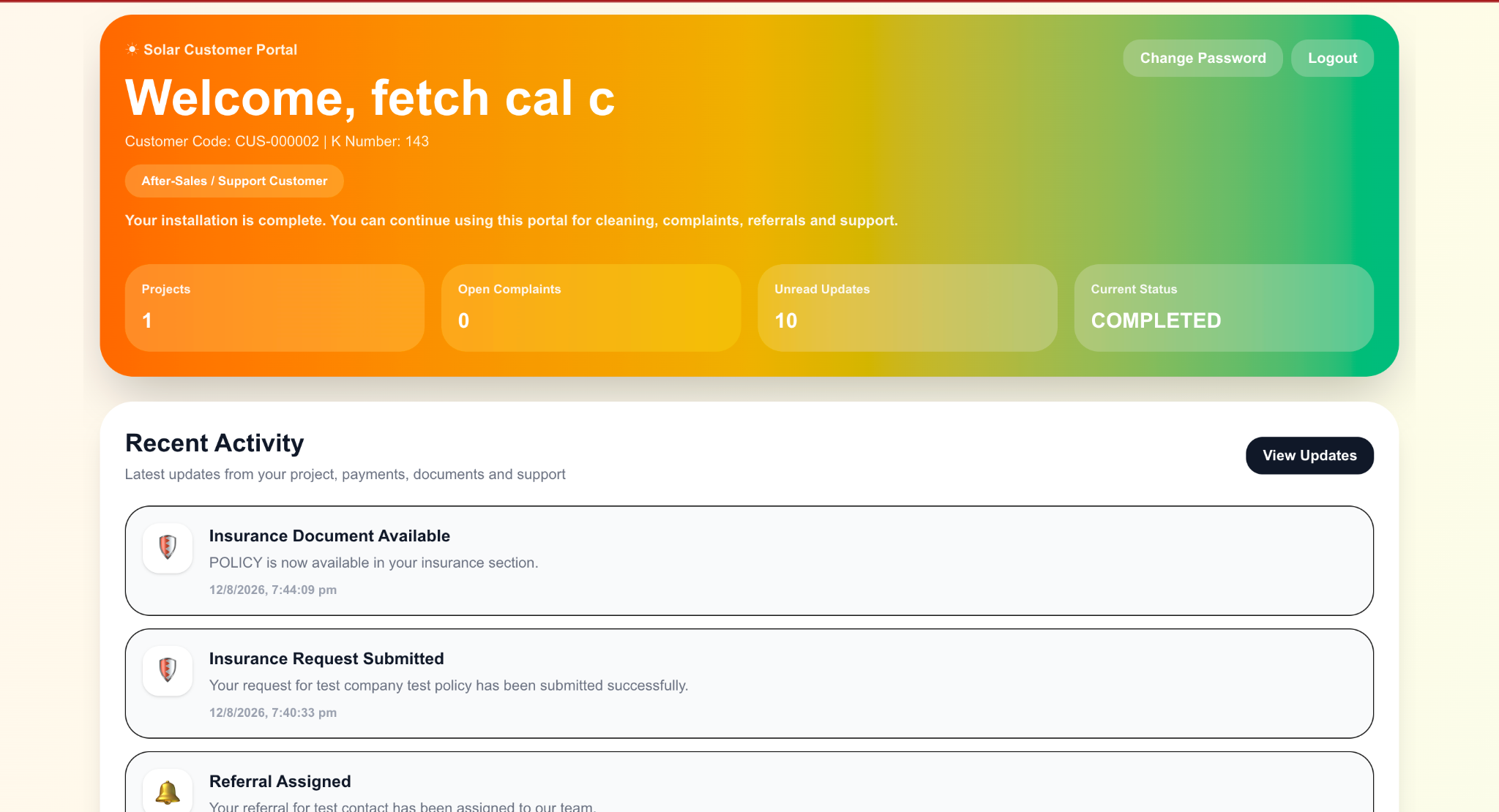
Support attendance, location, tasks, meetings, reporting, field activity, approvals, and operational workflows from mobile devices.
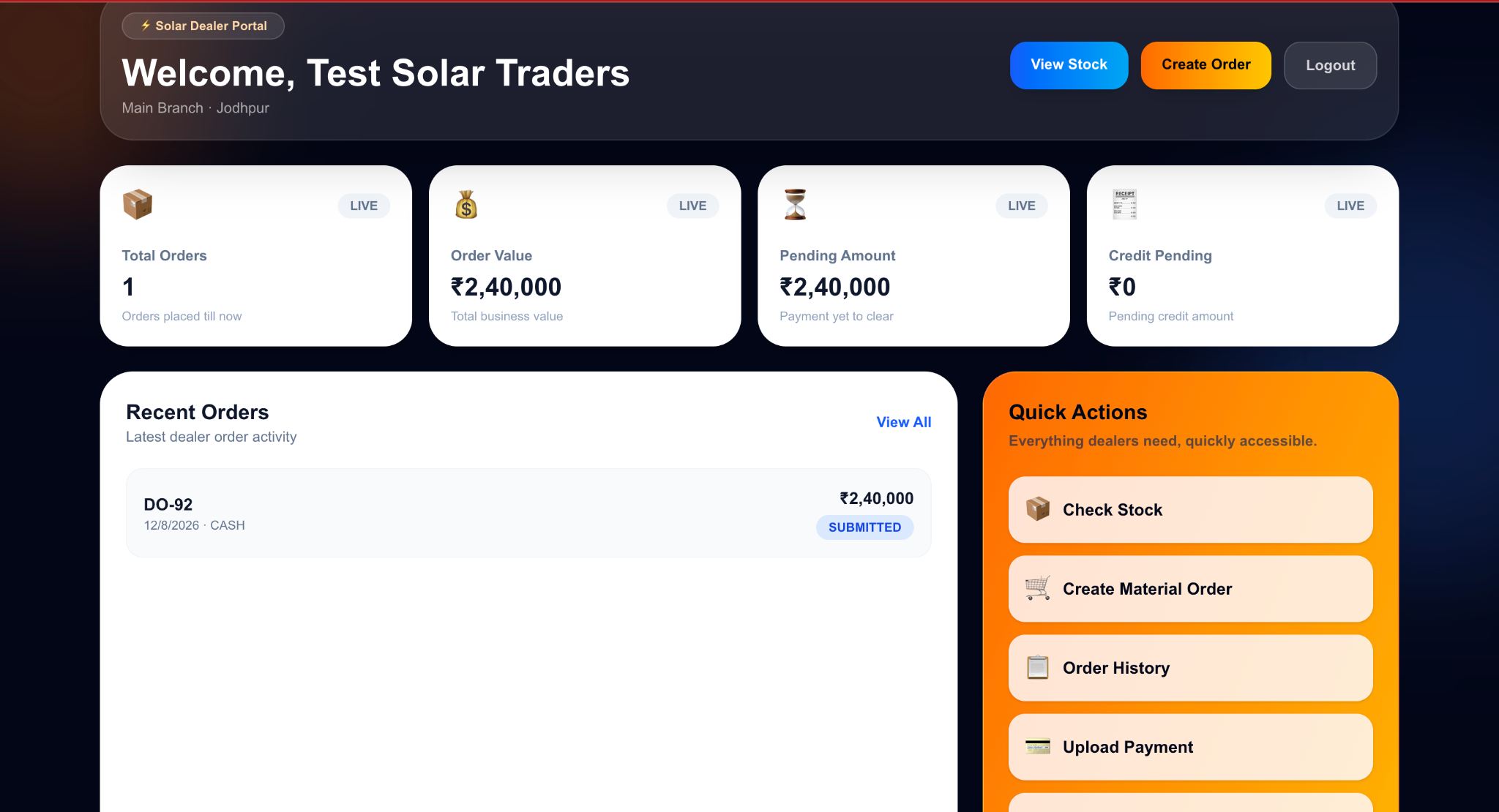
Connect dealers, distributors, franchises, contractors, and business partners to orders, stock, documents, payments, and operational information.
Provide decision-makers with mobile access to dashboards, approvals, alerts, reports, and important business information.
Connected applications
Mobile applications become much more useful when they share data and workflows with the wider business platform.
Customers, employees, dealers, and management can each work through purpose-built interfaces while the backend keeps the important business information connected.
Explore CRM & ERP Development →Business data, workflows, permissions and management operations.
Projects, payments, documents, service and communication.
Attendance, location, field work and operational activity.
Orders, inventory, payments, documents and dealer operations.
Shared APIs • Business Data • Authentication • Permissions
Application capabilities
Business applications can support real operational actions, not just display information.
Secure authentication
Role-based access
Real-time business data
Push notifications
Document access
Camera and file upload
GPS and location workflows
Project tracking
Payment information
Complaints and requests
Dealer ordering
Dashboard analytics
Business-first mobile development
Mobile applications can use the same backend, permissions, workflows, customers, projects, and business data as the main platform.
Customers, staff, dealers, management, and field teams do not need the same interface. Each experience can be designed around its audience.
Mobile apps can handle more than viewing information. Users can submit records, upload proof, approve actions, track progress, and complete operational work.
New features, integrations, notifications, reports, and workflows can be introduced as the organisation grows.
Development process
01
We identify who will use the app, what information they need, what actions they can perform, and which business workflows must be available.
02
APIs, authentication, permissions, database access, notifications, and integrations are planned around the existing or new business platform.
03
The interface is designed for smaller screens, field usage, touch interaction, and the specific responsibilities of each user group.
04
The application is tested across real workflows and devices before production deployment and future improvements.
Mobile development FAQ
Yes. We develop Android applications for customers, staff, dealers, field teams, contractors, and other business users.
Yes. A mobile application can connect to an existing platform through secure APIs so users can work with shared customers, projects, inventory, payments, documents, and operational data.
Yes. Different user groups can have completely different interfaces and workflows while remaining connected to the same backend business platform.
Yes. Depending on the requirement, applications can use device capabilities such as GPS, camera access, file uploads, photos, and other supported integrations.
Yes. Notifications can be used for project updates, reminders, approvals, customer communication, dealer activity, operational alerts, and other workflows.
Yes. New features, workflows, integrations, reports, and user experiences can be introduced as requirements change.
Your mobile application
Tell us who your users are, what they need to accomplish, and which systems the application needs to connect with.